
SimpleAI

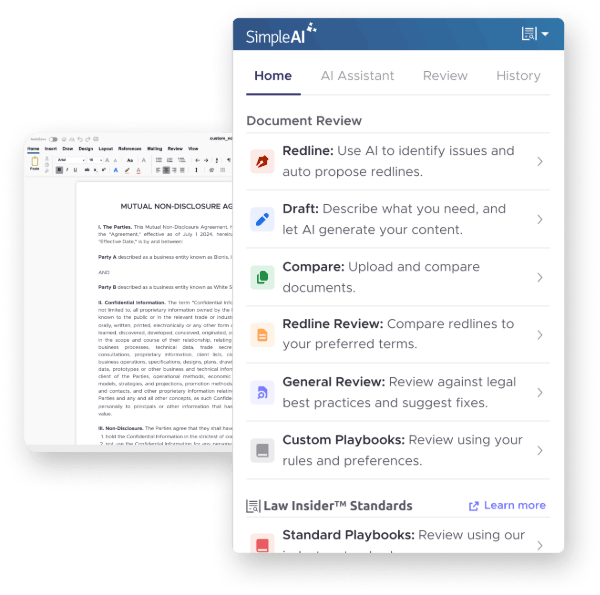
Streamline contract review — catch risks, generate redlines, and strengthen negotiations — all with AI built for legal work in Microsoft Word.
See Pricing
placeholder

TRUSTED BY OVER 10,000 CUSTOMERS WORLDWIDE

allianz-min.svgverizon-min.svgjp-morgan.svgchubb-min.svglive_nation-min.svgspacex-min.svg

AI-Powered Features

feature
Accelerate Reviews with Playbooks

AI-powered contract review with Law Insider OpenAI.

feature
Draft and Redline Smarter

Generate alternative clauses and redlines powered by Law Insider’s 20M—clause database—so you draft with real-world context and precision.

feature
Work Seamlessly in Word

Stay in your flow. SimpleAI integrates directly into Microsoft Word so you can review, draft, and finalize without switching tools.

Draft & Review in Action

stars

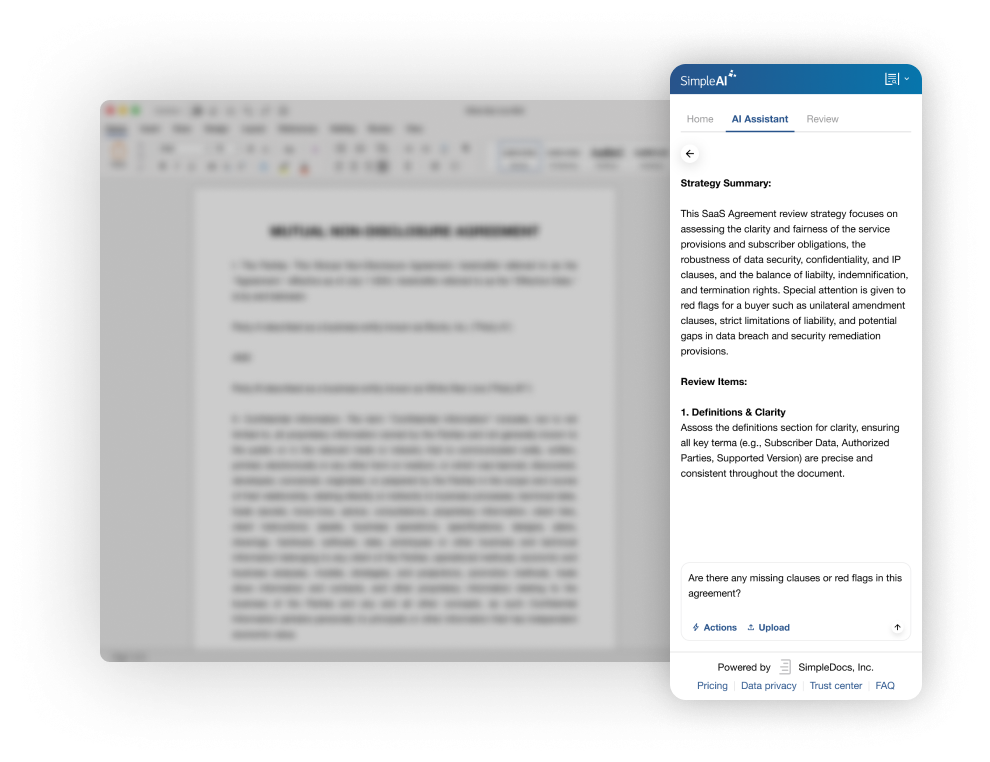
Catch Risks Faster

Instantly surface missing clauses and potential red flags with AI highlights shown directly in your Word document.
placeholder
stars

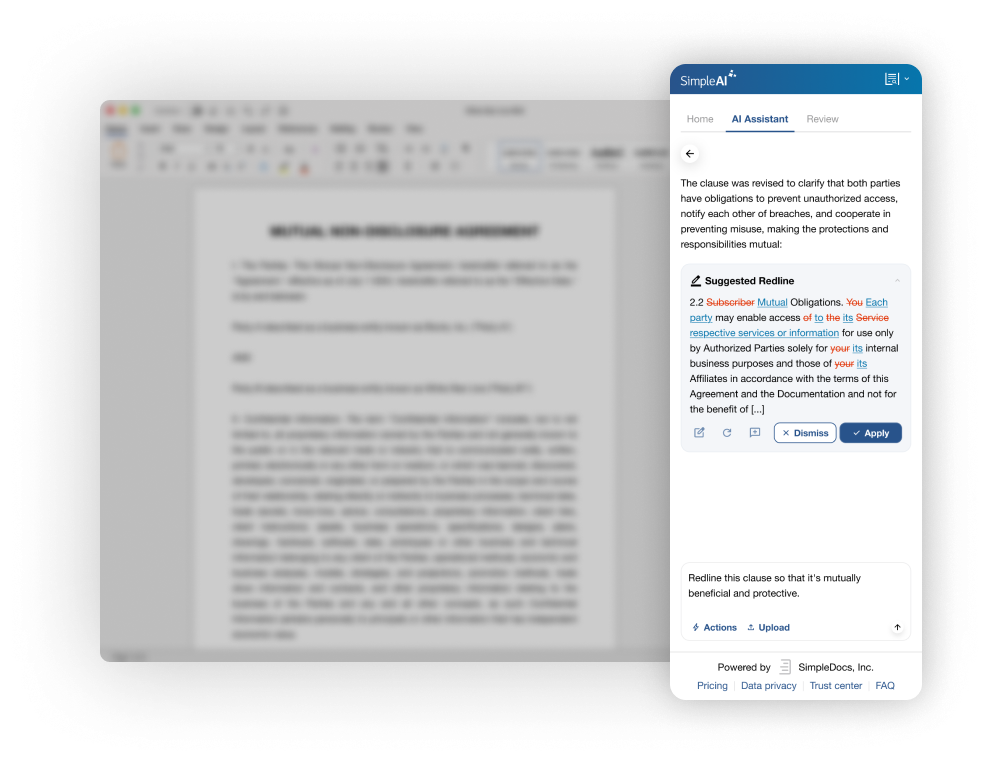
Strengthen Negotiations

Use AI-generated redlines and alternative language to reinforce your position and gain leverage in negotiations.
placeholder
stars

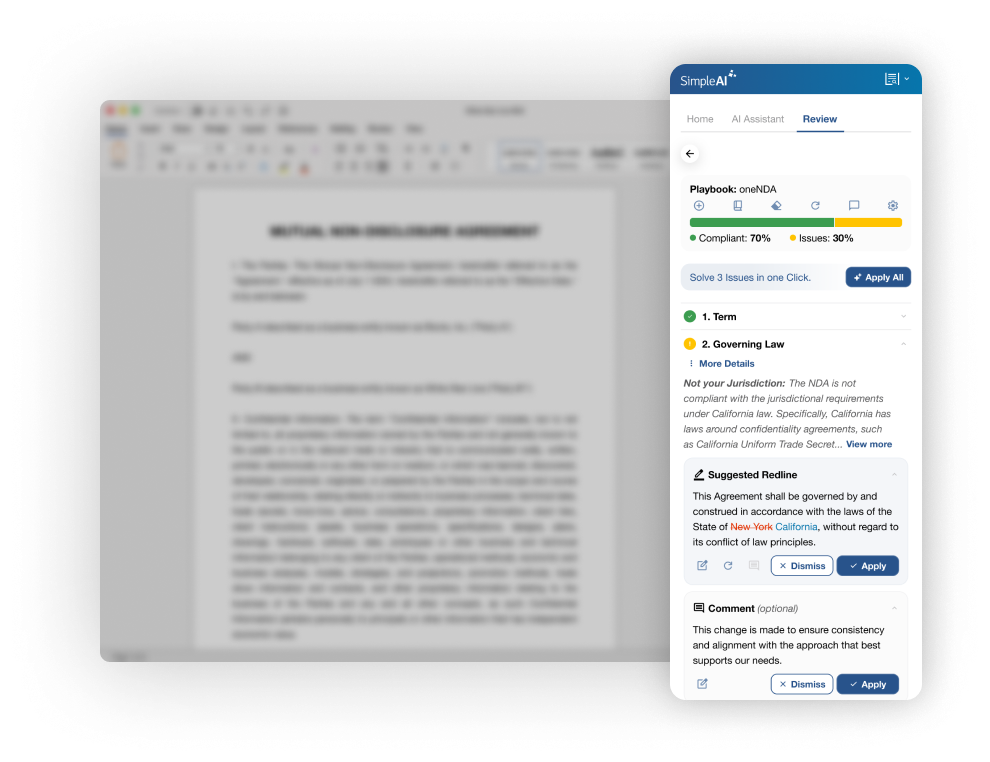
Integrated Workflow

Review, accept, or ignore AI suggestions directly in Word — with the added flexibility of using Draft with AI in your browser when you need it.
placeholder
starsNEW

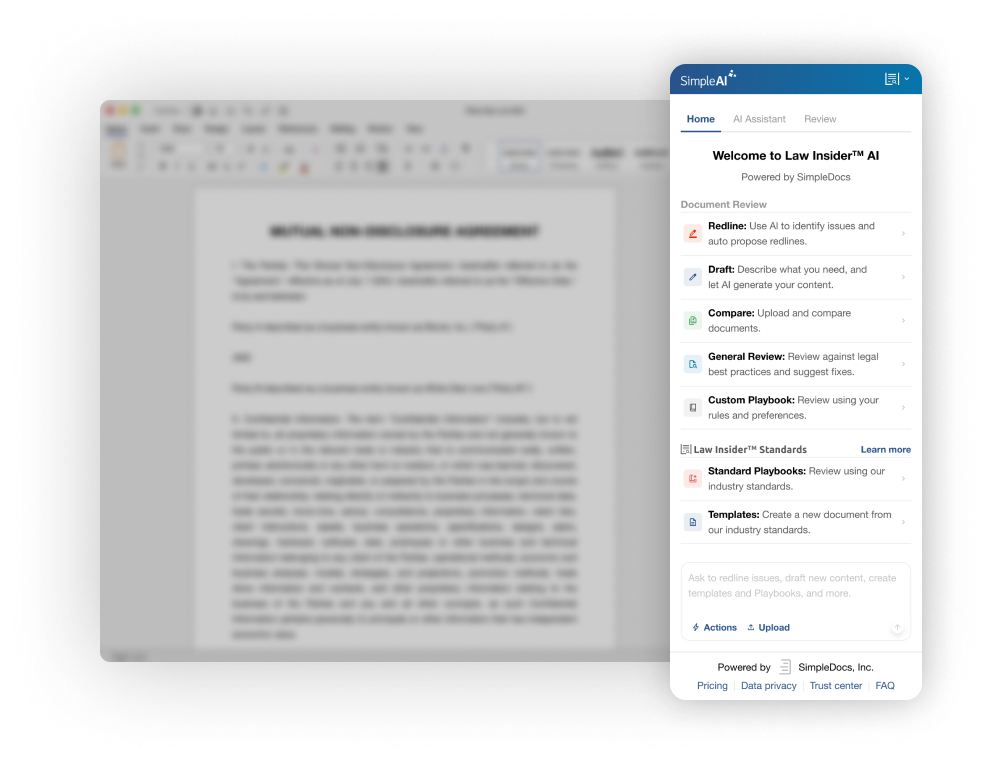
Playbooks & Standards

Use our expertly-crafted library of Standard Playbooks and templates to review and create documents.
placeholder
Simple AI$159per user, per month

Built for Legal Teams

FAQs

What can I do with SimpleAI?
You can use SimpleAI in Word to identify risks, generate redlines, draft new language, compare documents, and interact with your contracts through Chat. With the new Standards integration, you can also apply peer-reviewed playbooks and standardized templates directly within Word to guide negotiation and drafting.
Does it work in other languages?
Yes — both SimpleAI and the AI Assistant support work in nearly any language, making them flexible for global teams.
Does SimpleAI work on Mac and Windows?
Yes, SimpleAI works in Microsoft Word on both Mac and Windows.
Is my data secure?
Yes — your documents are processed securely, never shared with third parties, and SimpleAI is GDPR compliant and SOC 2 certified.
How does the free trial work?
You get a 7-day trial through checkout that automatically converts to a subscription unless canceled.
Do I need to enter payment details to start the trial?
Yes, payment details are required to activate the SimpleAI trial. No charges are made until the trial period ends, and you can cancel anytime before then without cost.
Can I cancel anytime?
Yes, you can upgrade, downgrade, or cancel your plan anytime through the account management page.

Manual redlining wastes valuable hours. AI accelerates the process without compromising quality.